
Export orders / invoices to Excel module
Export orders / invoices to Excel module
With this module you will be able to export the data of the orders and invoices of your store to an Excel file to be able to treat them later with any other program.
Compatible with:
PrestaShop 1.7.0.0 to 1.7.8.11 and 8.0.0 to 8.2.1
Includes 1 year of Business Care
(support and updates)

Contract the installation and configuration.
IDX takes care of everything
Recommended add-on module
Private Notes Module + Ringover Integration
Module to create private notes on orders and customer files in the backoffice by the store administrator. In addition, you will have integration with the virtual switchboard of Ringover.
How many times have you found the need to add a comment to an order or to a customer account as a reminder for later or to be read by the person who has to prepare the packages, for example?
Products usually sold together
Administrator’s Private Notes module + Ringover integration

Store Defender module (vulnerability scanning and vulnerability fix)

PrestaShop Cookie Law Compliance Module
Multi-Store Stock Manager Module

Equivalence Surcharge module for PrestaShop

International Direct Debit Payment Module
Data export for accounting
Every month or every quarter, depending on the stage your company is in, you will have to send to your accountant or bookkeeper all the transactions carried out during that period.
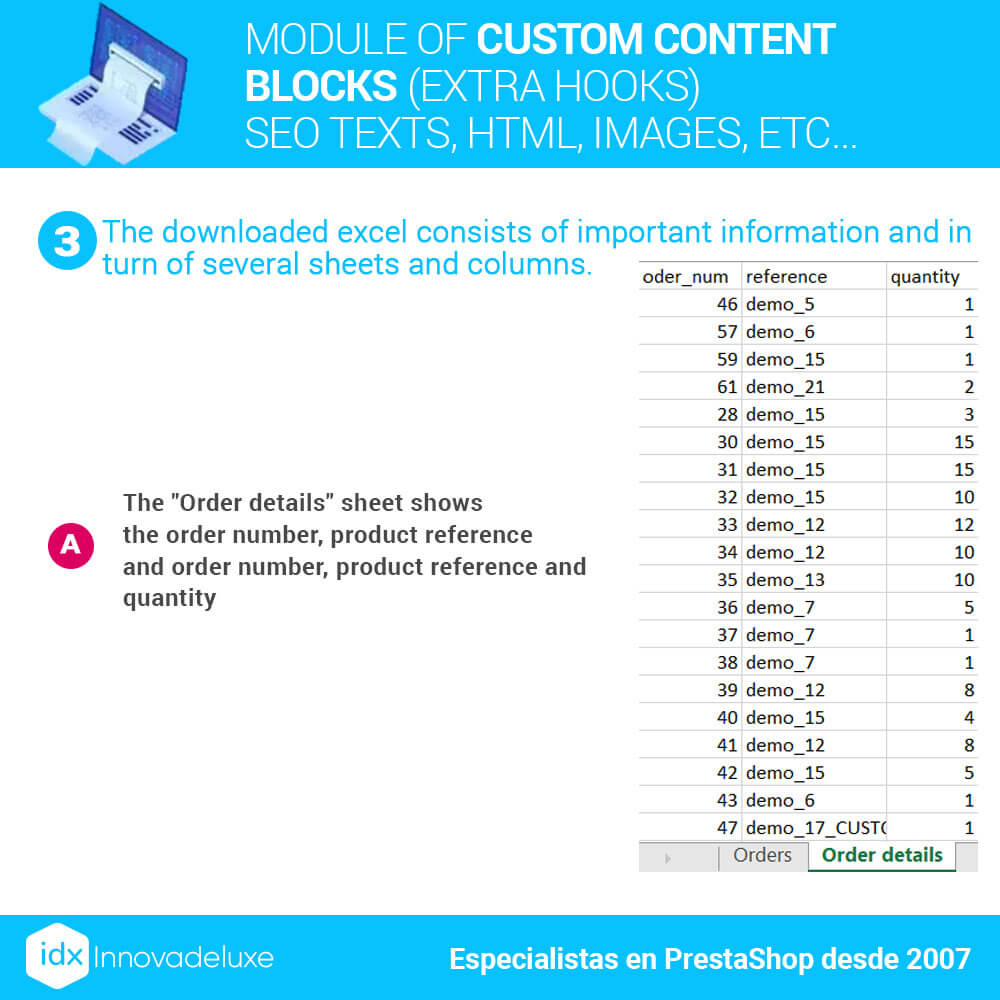
Generally, if you work with an accountant, they will ask you for the information in an Excel file to be able to work with it in a simple way or even import it to their accounting program.
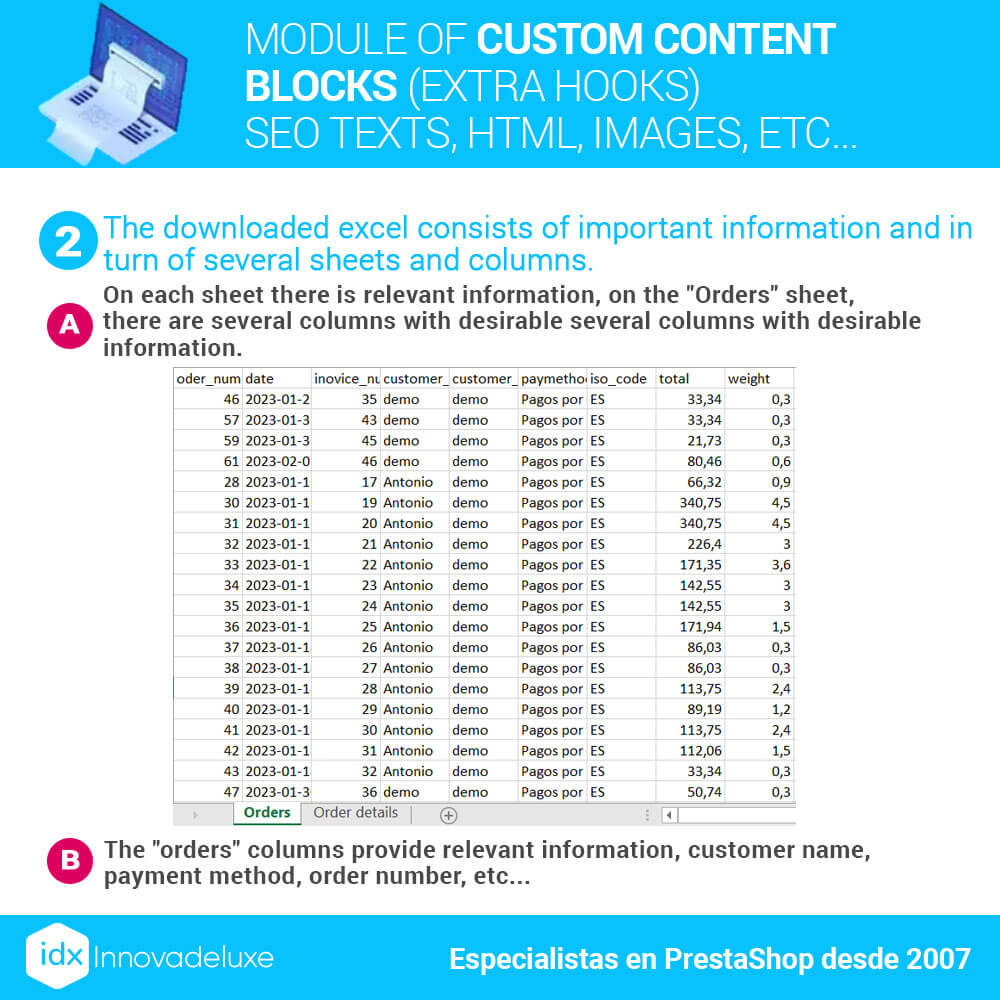
With this export module of orders (invoices) you will be able to export the necessary data to include it in the accounting of your company, to make the pertinent tax declarations.
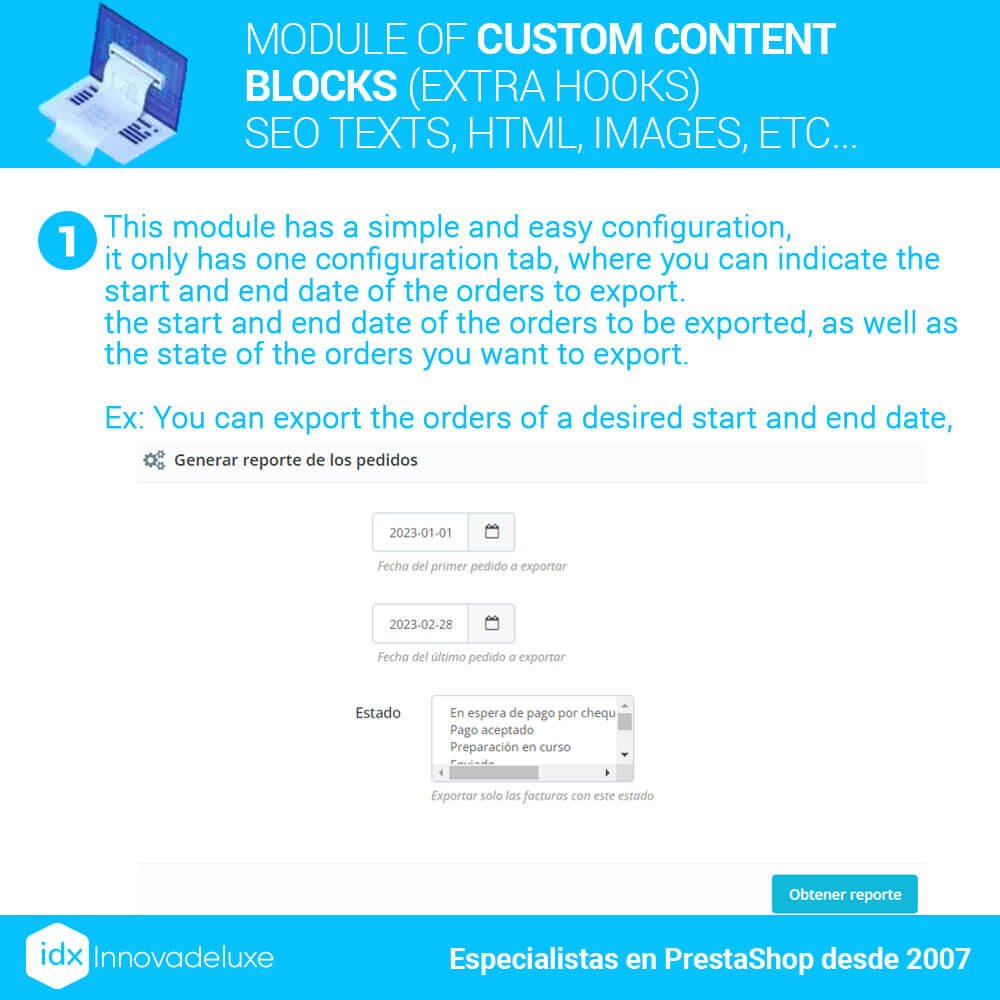
Selection of data to be exported
You will be able to select the fields you want to extract in your Excel file. The module allows you to select between several types of data, so you can send to your agency only what they need and not saturate them with unnecessary data for them.
In addition, if you need a field that is not available in the module, you can ask us to add it.
Saving working hours by automating processes
This module will save you or your agency, countless hours of work entering data. With just a few mouse clicks, you will have all the necessary information in a single document to send to your partner company.
Avoid human error by eliminating manual processes
Eliminate human errors when preparing information manually. When copying and pasting information from your invoices or orders, you can make mistakes. Copy data in the wrong columns, which can cause errors in the accounting, because your accountant will take for good the information that you send them.