
Advanced module for step-by-step product configurator
Step-by-step product configurator module
Module to create product configurators, the most powerful on the market. It allows to have different types of visualizations and types of selectable options, step by step, integrated with other modules to make it even more powerful.
Compatible with:
PrestaShop 1.7.0.0 a 1.7.8.11
PrestaShop 8.0.0 a 8.2.7 y 9.0.0 a 9.1.4
Includes 1 year of Business Care
(support and updates)
Contract the installation and configuration.
IDX takes care of everything
Recommended add-on module
UpSelling module for products usually sold together
With this module you will significantly increase the average basket value, as it adds a new block in the product page with other products usually sold together with the one being displayed, as Amazon does.
It also adds a block in the basket, with products that have been sold at the same time as those in the basket.
Products usually sold together

Module to comply with the Data Protection Law (RGPD/GDPR)

Store Defender module (vulnerability scanning and vulnerability fix)
UpSelling module for products usually sold together
Export orders / invoices to Excel module
Advanced multi-language and multi-store sitemap.xml Generator Module

Structured Data Module (Rich Snippets)
The number 1 module for configurable products on the market.
The best module in the market to create configurable products. Module with very powerful functionalities, to create the type of configurator you need.
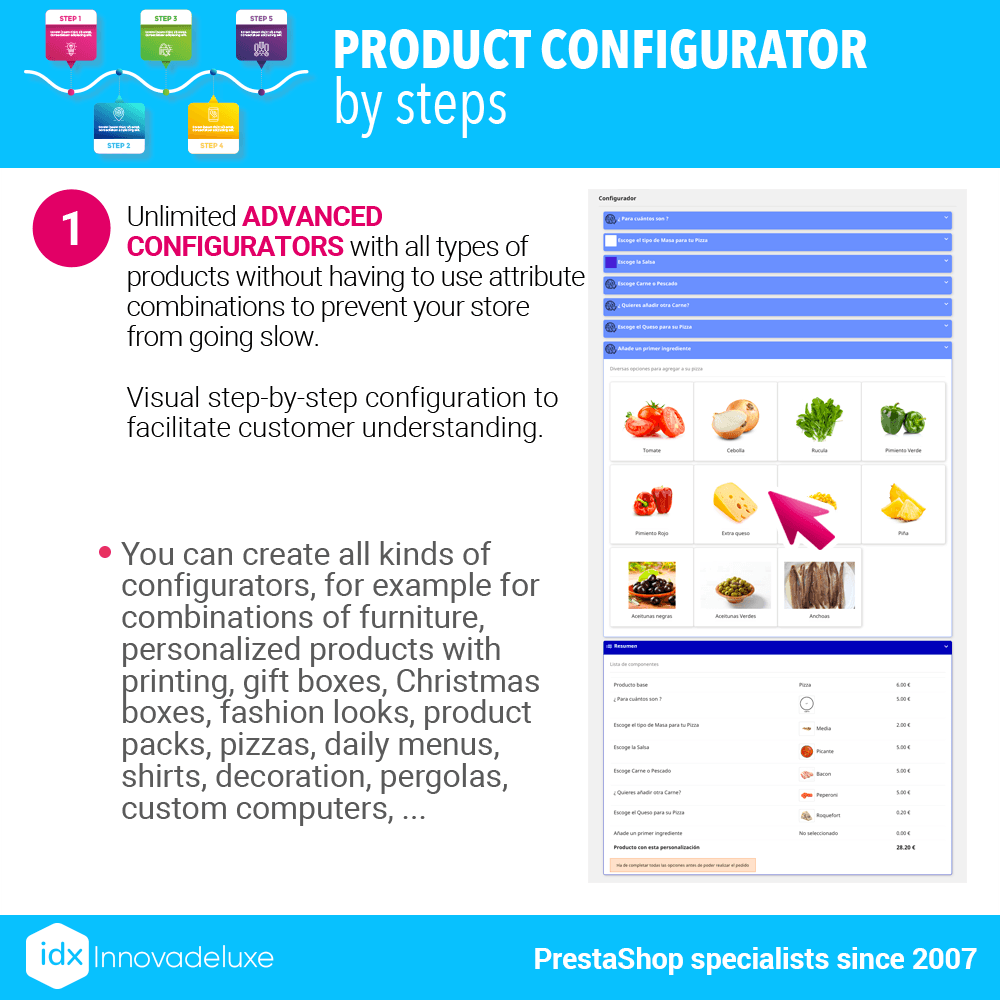
With its different types of visualizations and different types of options to be selected by the customer, you can create a step-by-step configuration system that will allow the customer to configure the product to their liking in a simple and understandable way, without getting saturated by seeing hundreds of options.
You can create configurable products of all kinds with a process in which the customer must select each option or component of the product following different marked steps. It has different designs of the configuration process.
With this module you will be able to sell special products that require complicated configurations and for that the customer will have to follow certain steps so that he does not forget to check any of the necessary options in the product.
Performance-optimized module (WPO)
With this module, you will not have to have an infinite number of combinations of attributes in a product to get a customer to select all the necessary options, since the configurator uses its own options.
As I imagine you know, when a product has many combinations of attributes, the product page slows down a lot, with this module you will prevent this from happening.
The performance of your product page will not be affected, even if in the configurator there are thousands of different options for the customer to select. These selectable options are not attribute combinations and therefore do not slow down the page, which helps you to improve the WPO of your store.
Example of product configurator
You can create a computer configurator, in which the customer can select each component that is part of a computer, from several options for each component.
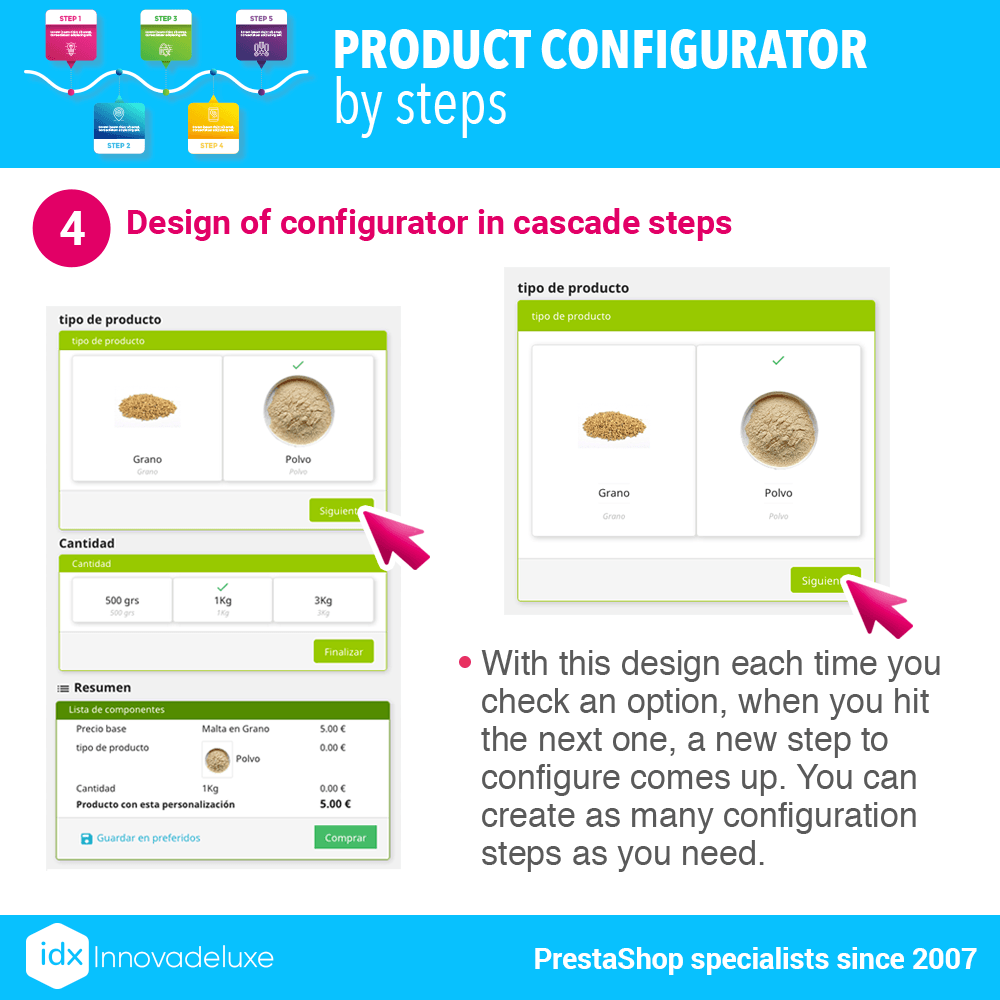
You can create different configuration steps to select the components.
So with every component available for the computer. You can create as many configuration steps as you need.
The module allows you to create as many configurators as you need.
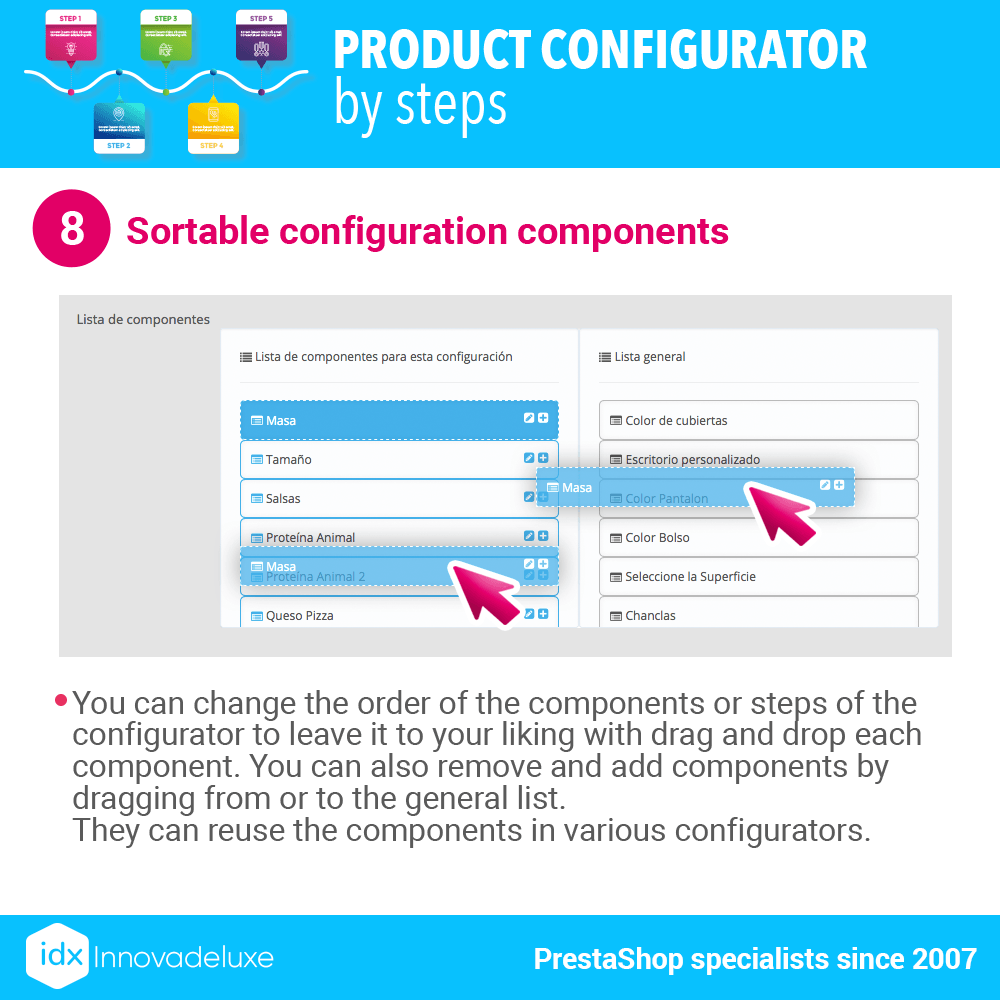
You can create as many configuration steps (also called components) as you need.
For each Component, you can create as many configuration options as needed
Configurable module options (conditional options)
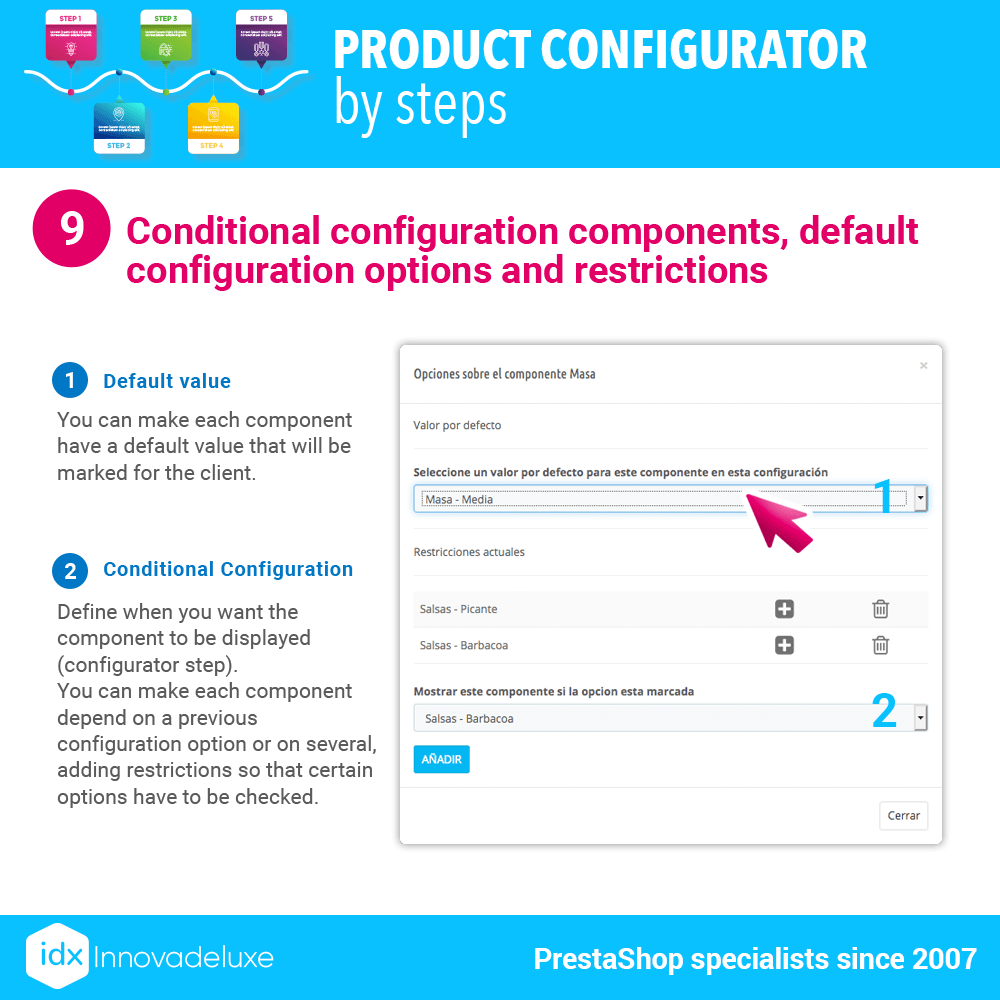
You can create components with conditional options, that is, depending on the option selected in one of the configuration steps (component), it will then show you a different configuration step. Let’s say they are variable configurations based on what the customer has previously configured.
Continuing with the example of the computer, the conditional options would be so that if a customer has selected a type of box, the power supplies shown in the next step of the configuration, are only those compatible with that box, the same would happen with motherboards and processors or any other component. Some depend on others, based on what the customer is configuring.
Conditional options are optional, it is not necessary to use them if they are not needed.
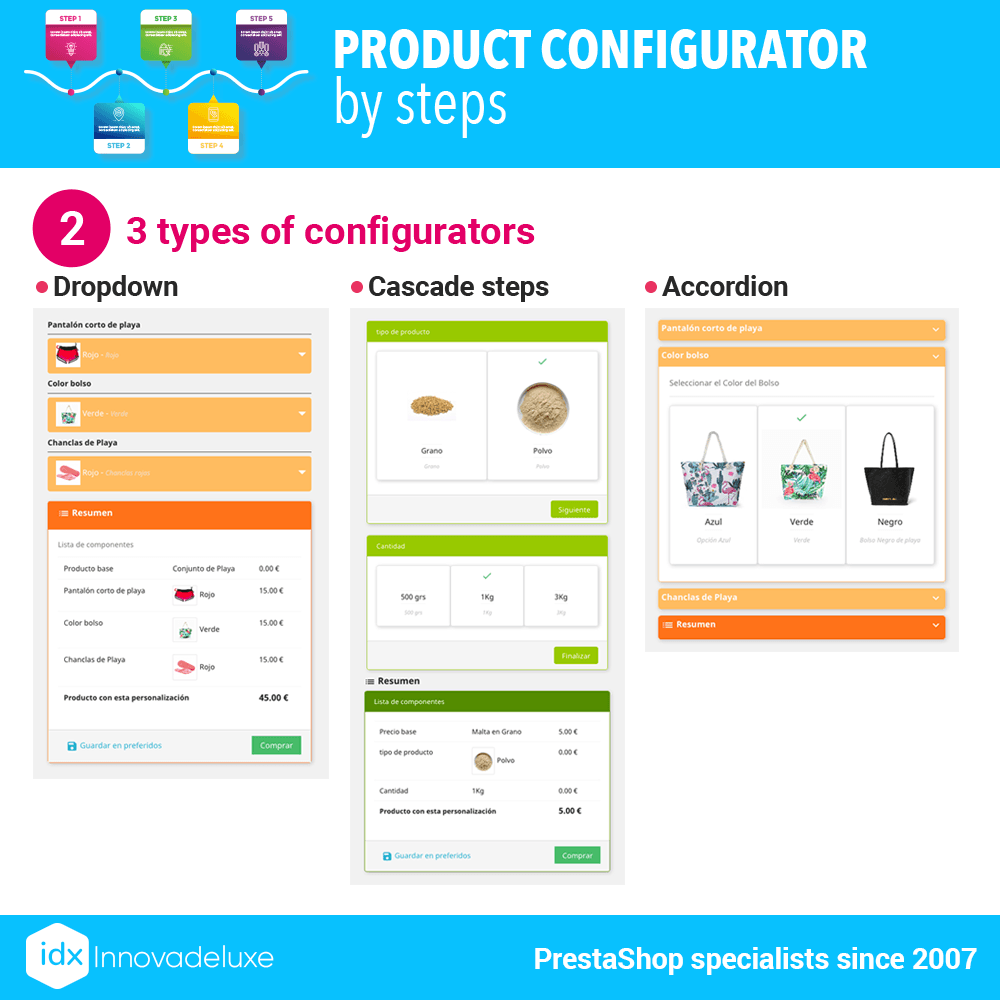
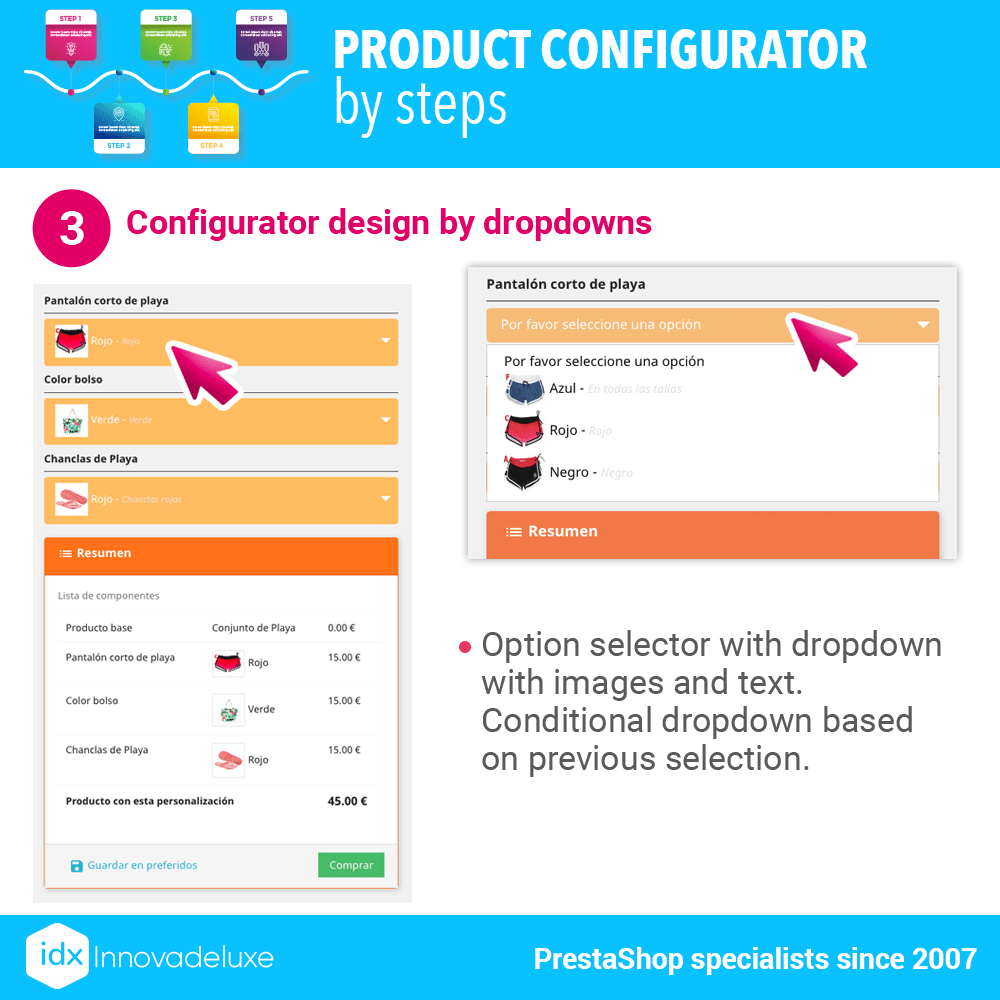
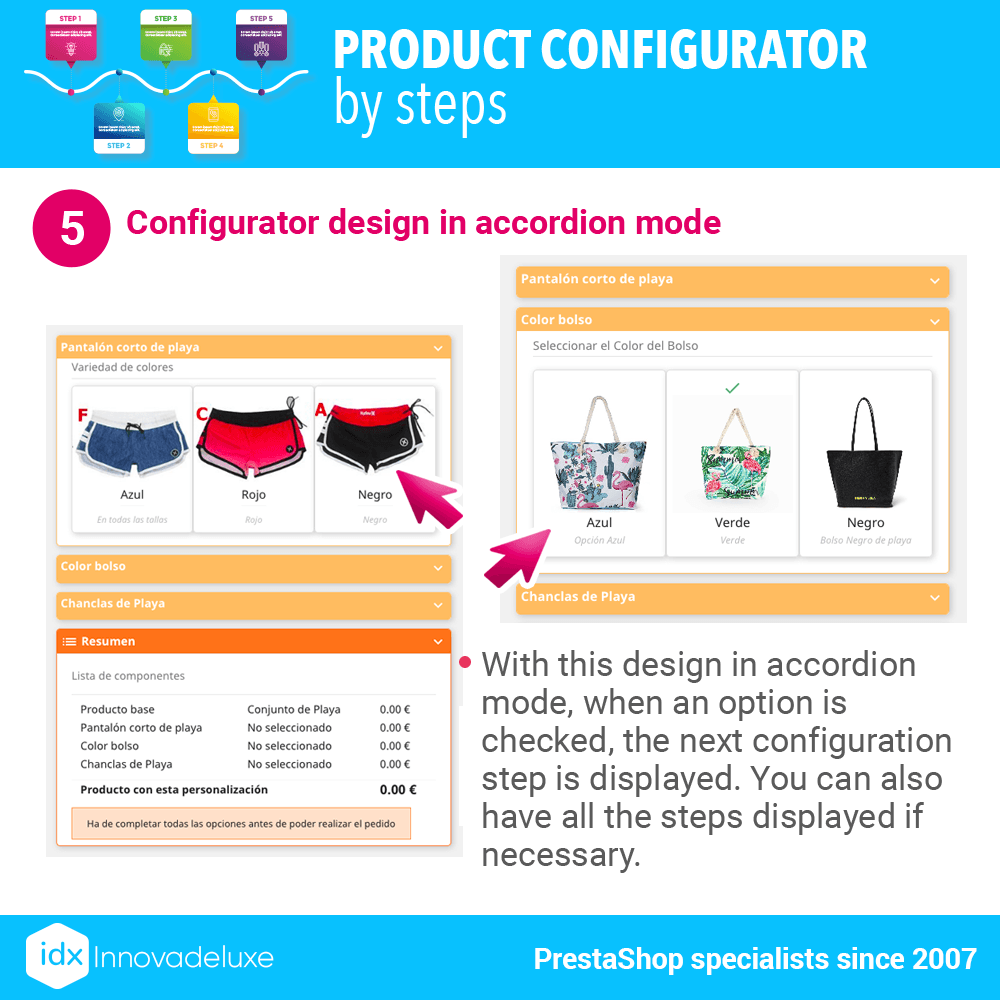
The module has 3 different design types to suit your store, you can see them in our demo. Each product in your store can have a totally different configurator design.
Discount stock
The base product on which the configurator is created can have a stock configured and each time a product is purchased it can be deducted from the stock. This can be used, to have a product that is the base, from which you need to deduct stock on each sale.
In addition, you can make each selected option discount stock of other products.
Continuing with the example of the computer, you can have for sale in the store, all the components of the computer, to sell them separately and all these products, you will have them with their stock. Well, when you sell a customized computer, all the components selected by the customer, will also discount the stock of the main products. Of course this is at your discretion, because if you do not want to link the configurator options with individual products, it is not necessary. If you do not, it will not discount any stock, except for the base product.
You can configure, when selecting an option in the configurator, to discount more than one unit of the product linked to that option, in this way you can create product packs.
Variable prices
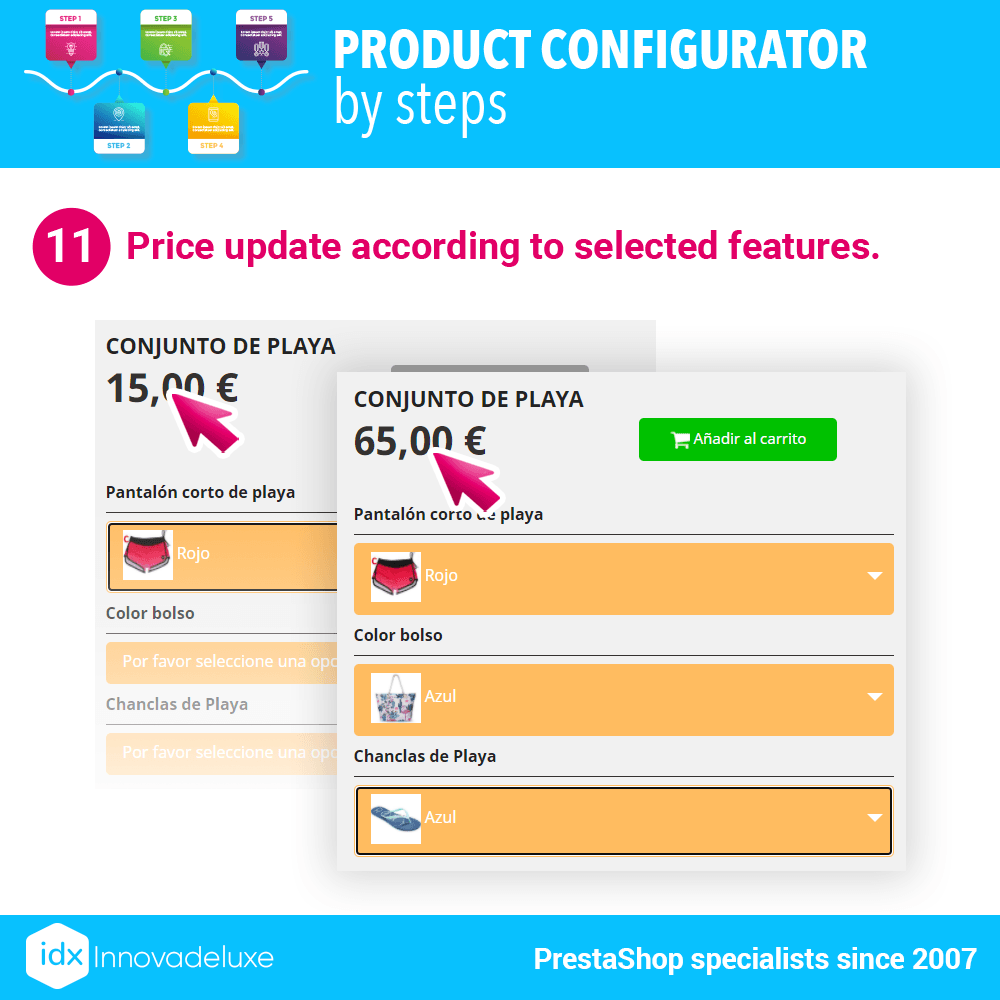
You can configure each configurable option to increase the price of the base product, in this way, as the customer configures, he will see the price of the product he is going to buy.
Visual selection
With this module, you will create very visual configurators, since each option to be configured can have its own image so that the customer is clear about what he is asking for.
Customization fields
You can add configurable options with text fields for the customer to add information for product customization.
You can also add options with file upload fields, so the customer can upload images and other types of files so you can customize the product.
Very useful for customizing T-shirts, mugs, plates, children’s clothes for the nursery etc.
Final summary
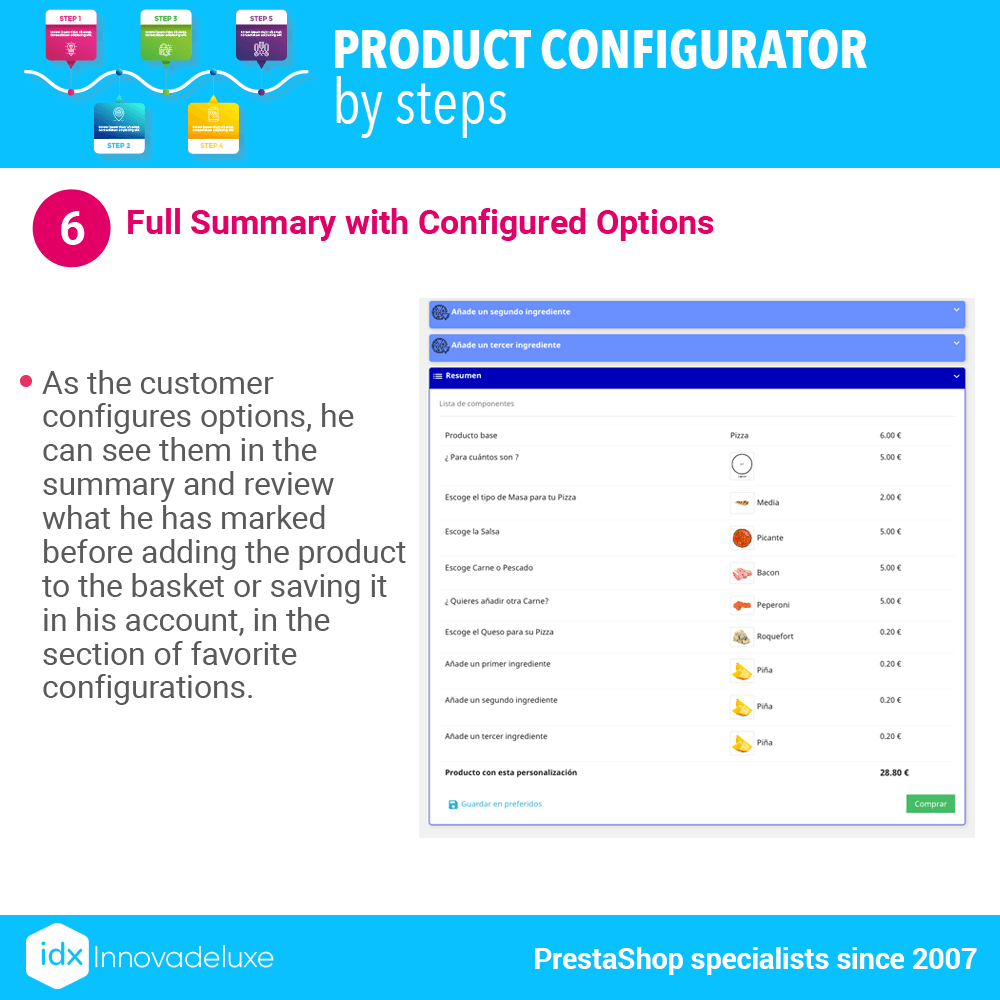
Once the customer has checked all the desired options in the configurator, he is shown a summary of everything he has configured so that he can check it before adding the product to the cart or save it in his favorites for later.
At any time, you can edit the marked options and change your selection. If the customer has not configured an option in all steps of the configurator, he will not be able to add the product to the basket.
Saving configurations
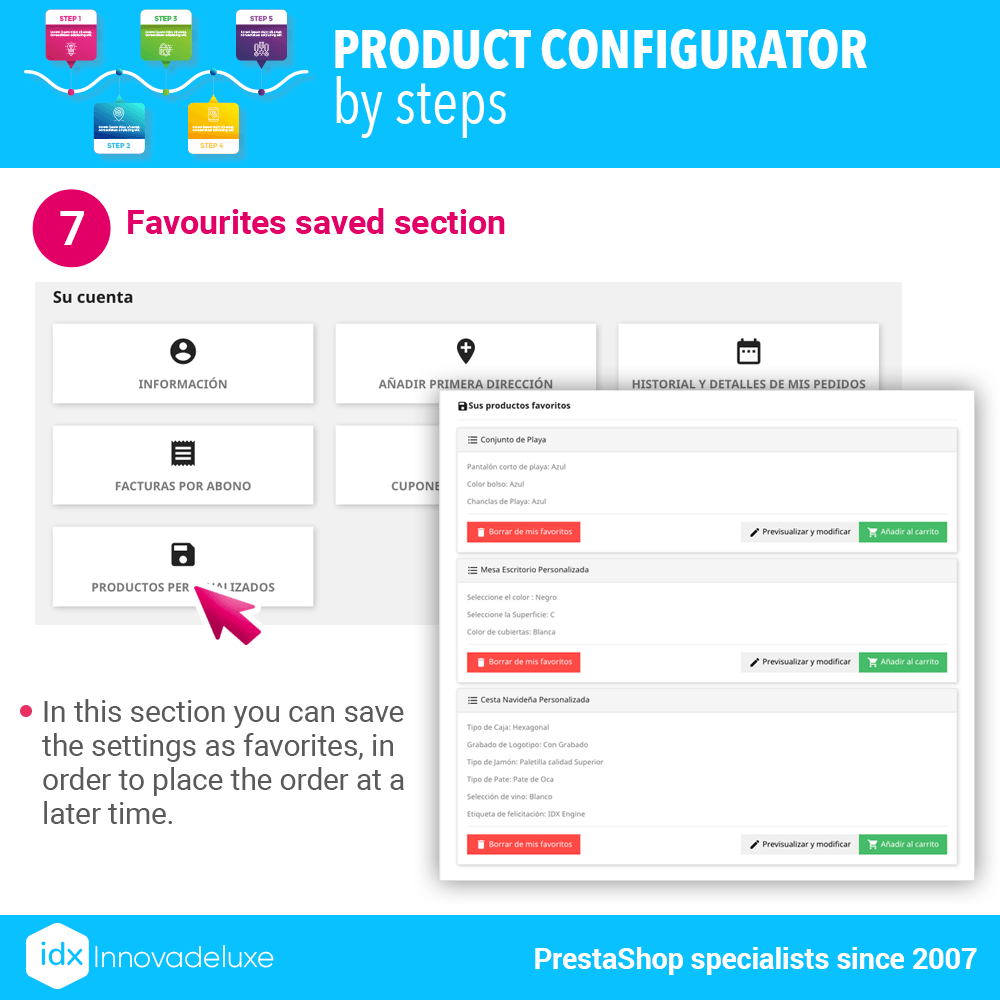
The customer can save the configuration to continue with it at a later time or to purchase the product at a later time. The module creates a new section in the customer’s panel to save the configurations that the customer makes.
Product created on the fly
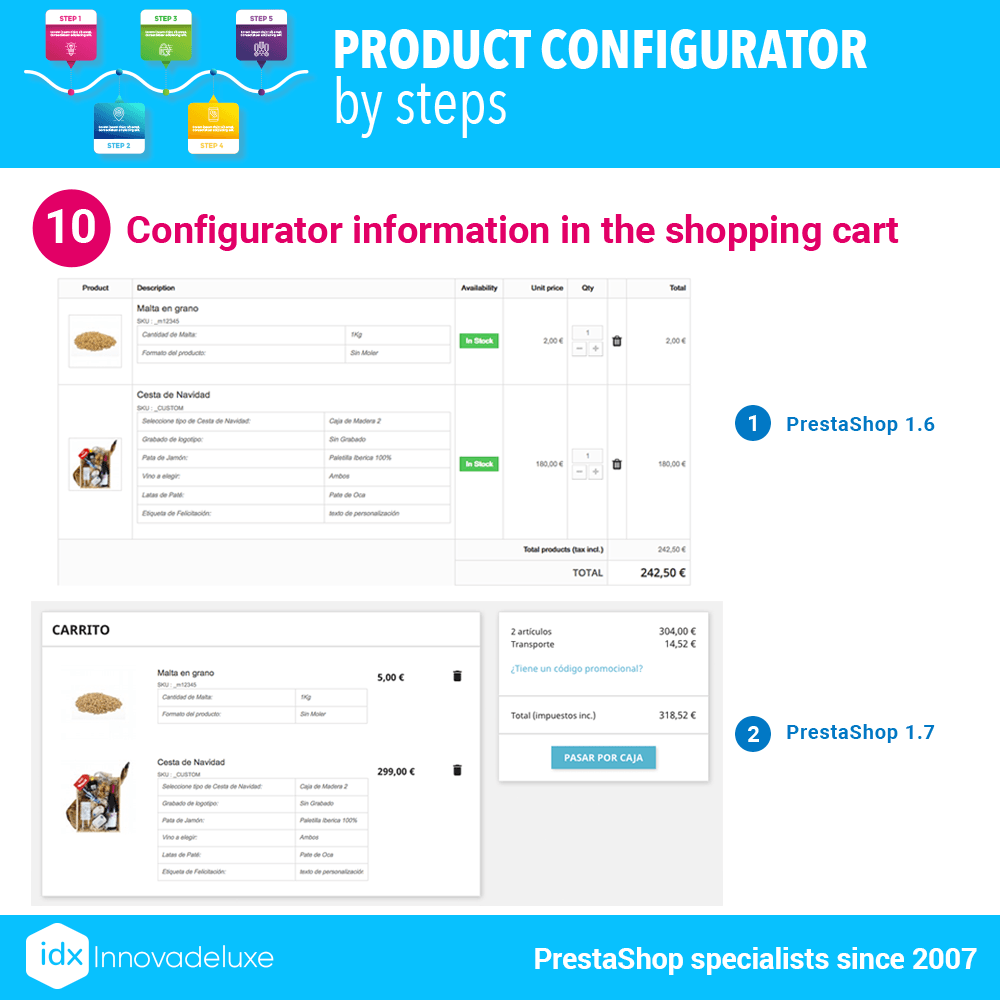
Once the customer has finished configuring a product, by clicking on add to cart, a product is created on the fly with all the configuration. But remember, this product does not use combinations of attributes, therefore, all the configuration of this created product is added as an informative text in the order, so that you can prepare and send the order.
Adaptable designs
You have several designs, but some of them are also adaptable to your needs, since you can decide the number of columns to display in each step of the configurator.
Anchor hooks
You have available several Hooks where to place the configurator in the product page. The hooks are different depending on whether the store is PrestaShop 1.6 or PrestaShop 1.7, because the official PrestaShop Hooks are used.
Compatibility
The configurator is compatible with all templates on the market as long as they use the standard, official PrestaShop hooks. As a general rule, all templates usually respect the official hooks.
We have used an example of computer configuration, but this module is 100% applicable to any type of product configuration, such as furniture combinations, custom printed products, gift boxes, Christmas boxes, fashion looks, product packs, pizzas, daily menus, shirts, decoration, pergolas, etc… and any other type of products. The limit is your imagination.